Howto setup the Gmail Signature
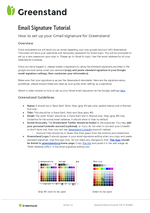
Supporting screenshots


2020 Email Signature Template
Youtube tutorial:
Link to Logo used in Email:
https://greenstand.org/fileadmin/08-logos/greenstand-logo-email-signature.png
HTML Signature Code:
<div>
 <strong>Your Name </strong><br/>
 <em>Your Position </em><br/>
 Mobile: +12 345 123456 <br/>
 Email: <a href="mailto:your.email@greenstand.org" target="_self">your.email@greenstand.org</a> <br/>
 <a href="https://tz.linkedin.com/in/yourprofile" target="_blank">LinkedIn</a> |
 <a href="https://twitter.com/green_stand?lang=en" target="_blank">Twitter</a><br/>
 <figure style="margin:0"><a href="https://greenstand.org" target="_blank"><img src="https://greenstand.org/fileadmin/08-logos/greenstand-logo-email-signature.png" width="300" height="49"/></a></figure>
 </div>
Thats how it should look like

ERROR: Content Element with uid "381" and type "gridelements_pi1" has no rendering definition!
ERROR: Content Element with uid "382" and type "gridelements_pi1" has no rendering definition!
ERROR: Content Element with uid "380" and type "gridelements_pi1" has no rendering definition!